What is Catalog Build?
Select from pre-designed catalogs packaging the functions your business system needs, and get an environment ready immediately. No design or development effort is required — business users can handle everything from setup to operation. Authentication, database, API and screens are all provided by the catalog, so there is no additional burden.
Traditional vs Catalog Build
How this differs from traditional system builds
The difference between launching a business system through in-house or contracted development, versus adopting it through Catalog Build.
Time to launch6 months to 1 year (requirements → design → dev → test)
Just select a catalog and fine-tune the settings
Internal resources neededIT department, dev vendor, and a requirements lead
Adjust settings yourself in the config screen and go live
Documents neededRequirements spec, basic design, detailed design, test plan
Design already done on the catalog side. An operation manual is included too.
Initial costMillions to tens of millions of yen (development + infrastructure)
Start with no additional development or infrastructure cost
For Business · Benefits
3 strengths of Catalog Build
For companies wanting to launch a business system as fast as possible, we deliver three strengths for immediate use without going through design and development.
Operational within days
Select a catalog and a few clicks get your environment ready. Start operating the same day without waiting on interviews, design, or development.
Wide variety, easy to choose
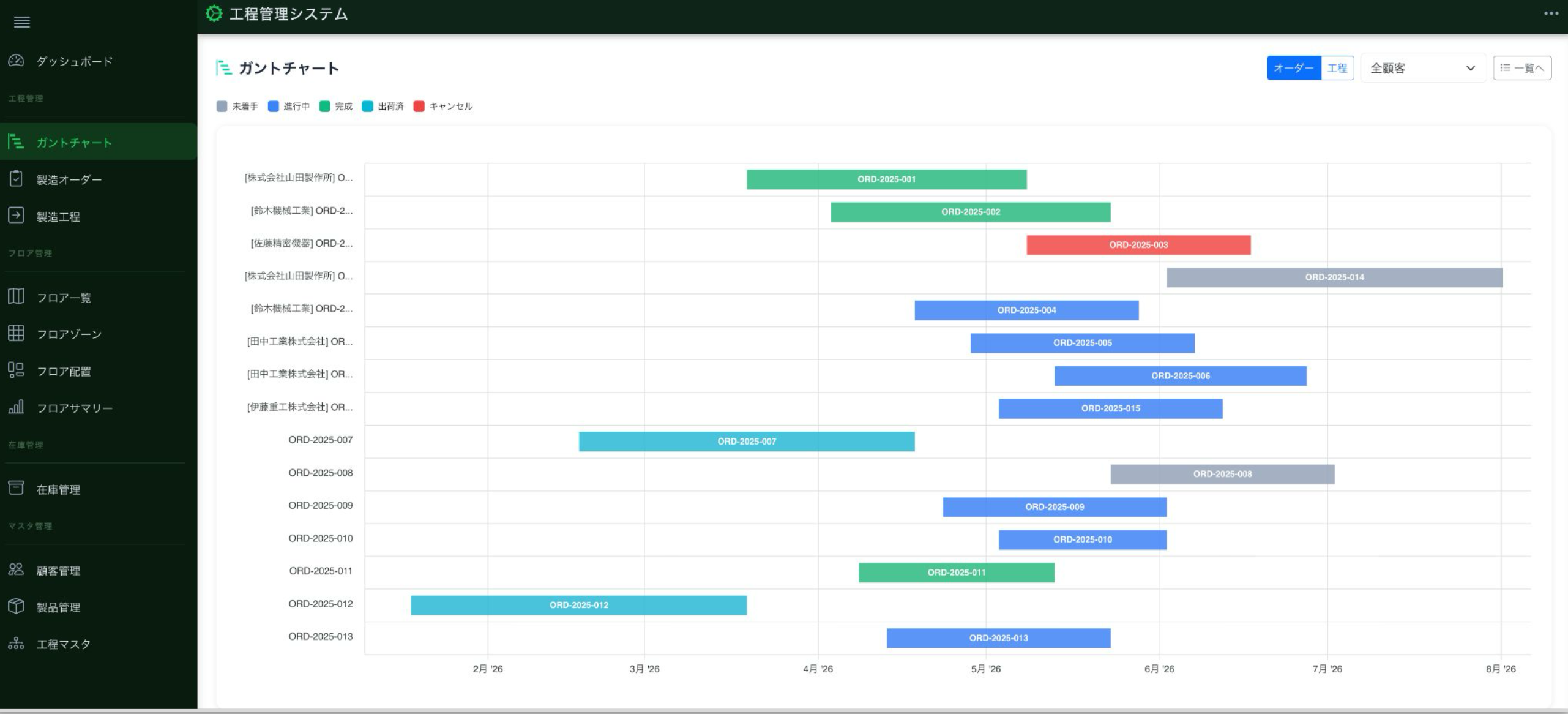
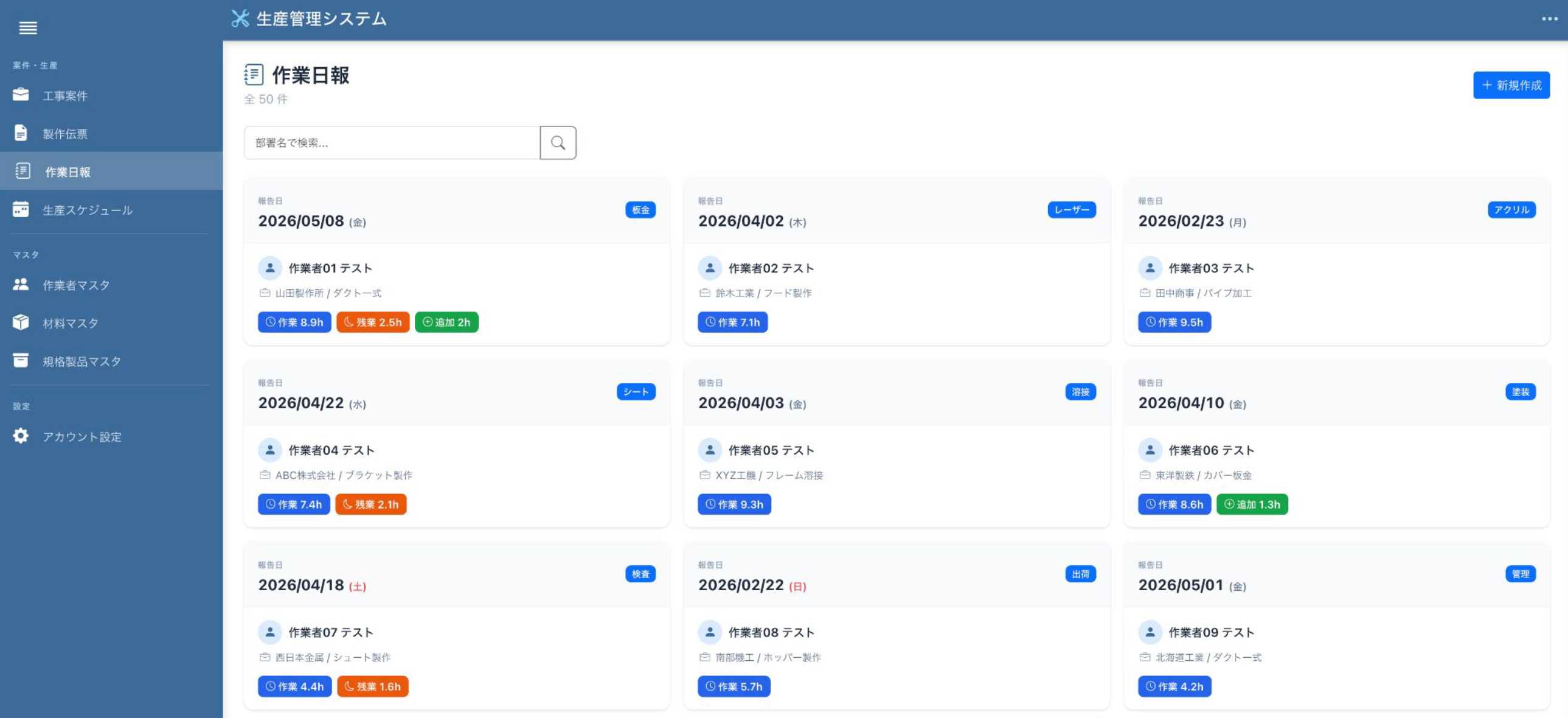
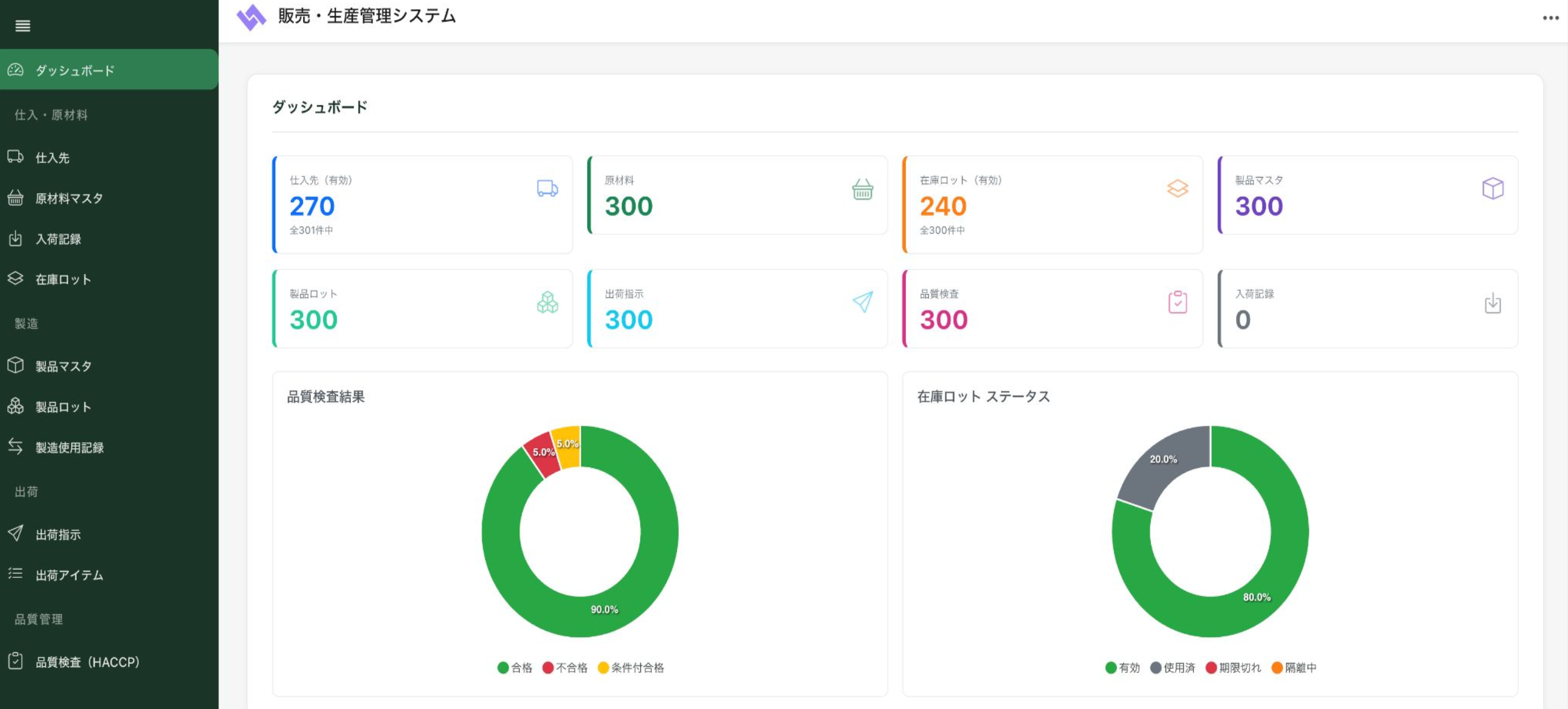
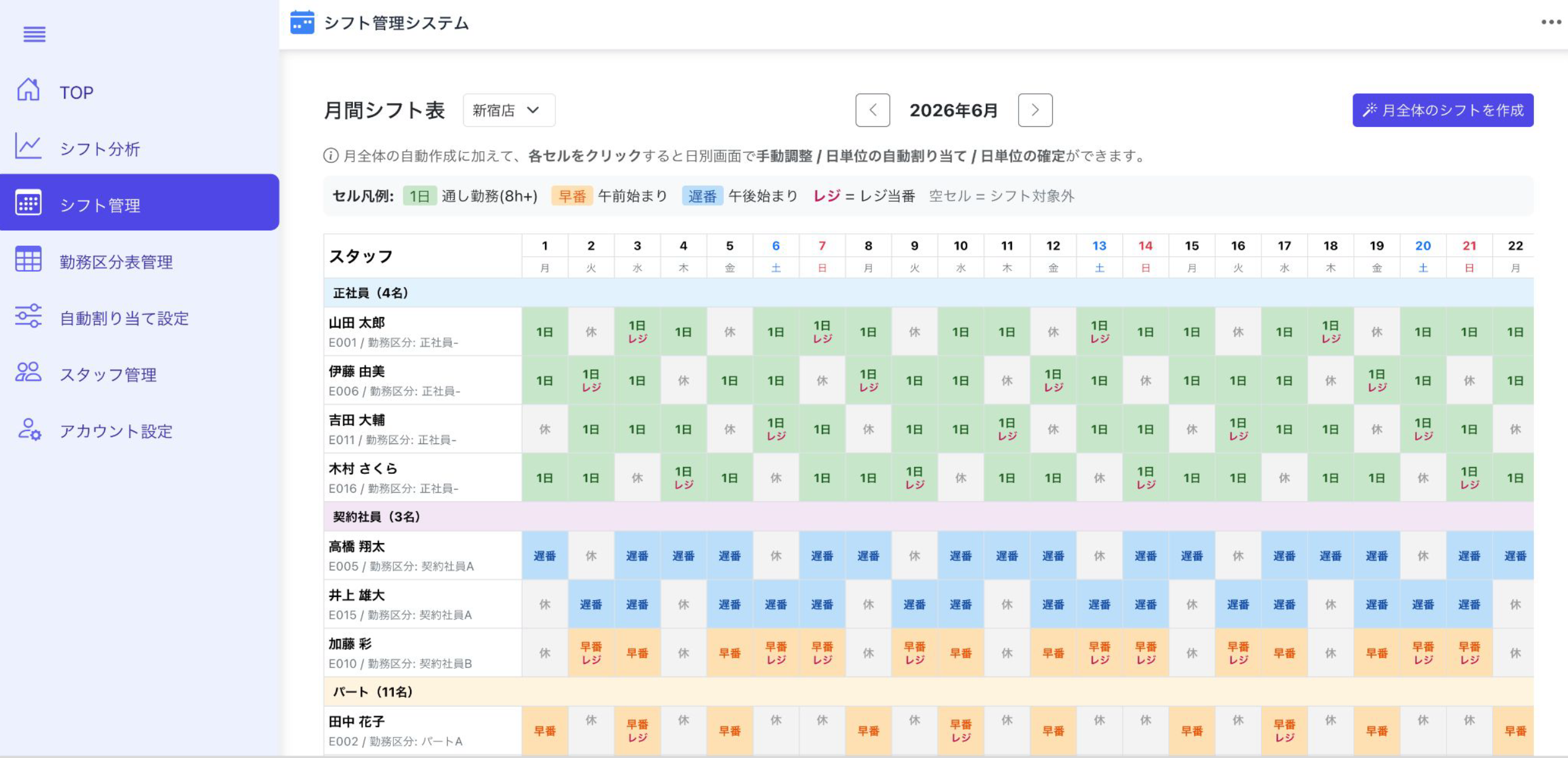
We provide the main catalogs your business system needs — inventory, workflow, CRM, forms, shift management, and more. Industry-specific sets help you choose without confusion.
No design or development required
Auth, DB, API and screens are all included in the catalog. Business users just adjust settings — no development resources required.
Peace of mind
What you don't have to do
The tasks below — which business users or IT departments used to handle in traditional system builds — are all already completed on the catalog side.
Business users can focus on just "adjusting settings to fit their work."
Each catalog comes with an operation manual. No need to create user documentation or operation procedures after go-live — you can roll it out internally as-is.
Deployment process
How it's built
Four steps from selection to go-live. You can start operating on the same day you pick a catalog — the whole flow is business-users-only.
Select a catalog
Filter by industry or function, review sample screens and feature lists, and pick a catalog that fits your business challenge.
Environment gets set up
Auth, database, API and WebUI are provisioned automatically. You receive URLs and login credentials — no server work required.
Fine-tune to your needs
Adjust field names, role-based permissions, and workflow branches from the config screen. No coding.
Go live
Invite users by email and start operating the same day. Any adjustments discovered during operation can also be applied that same day.
Catalogs
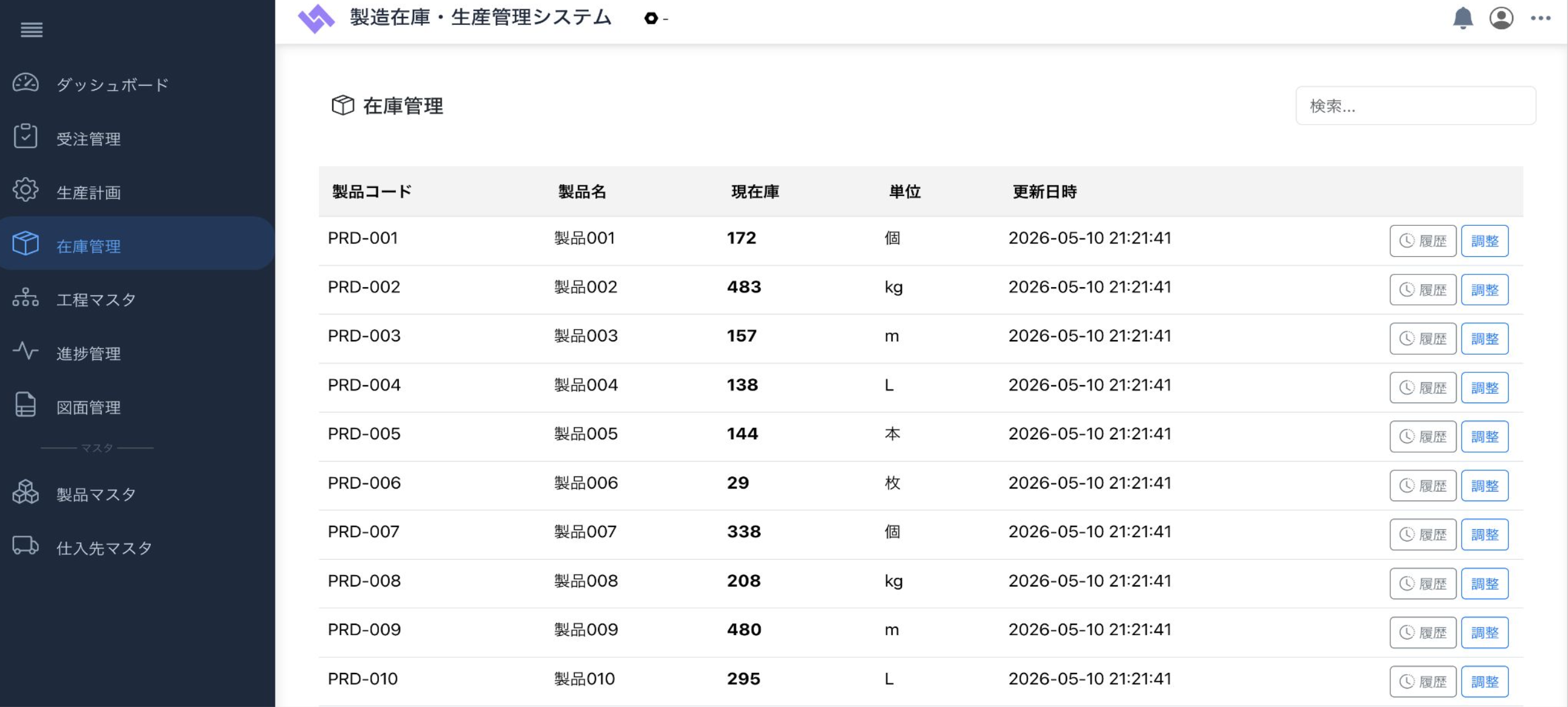
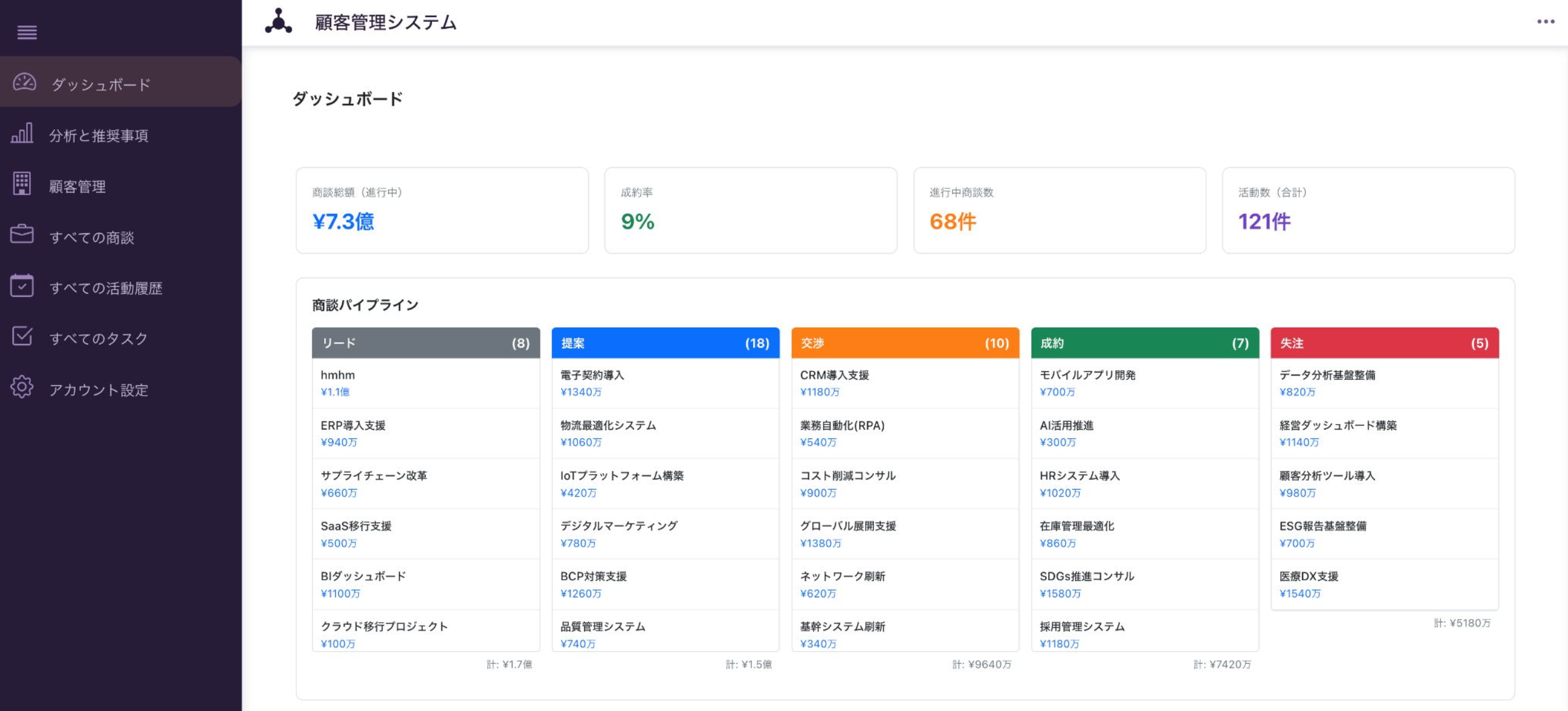
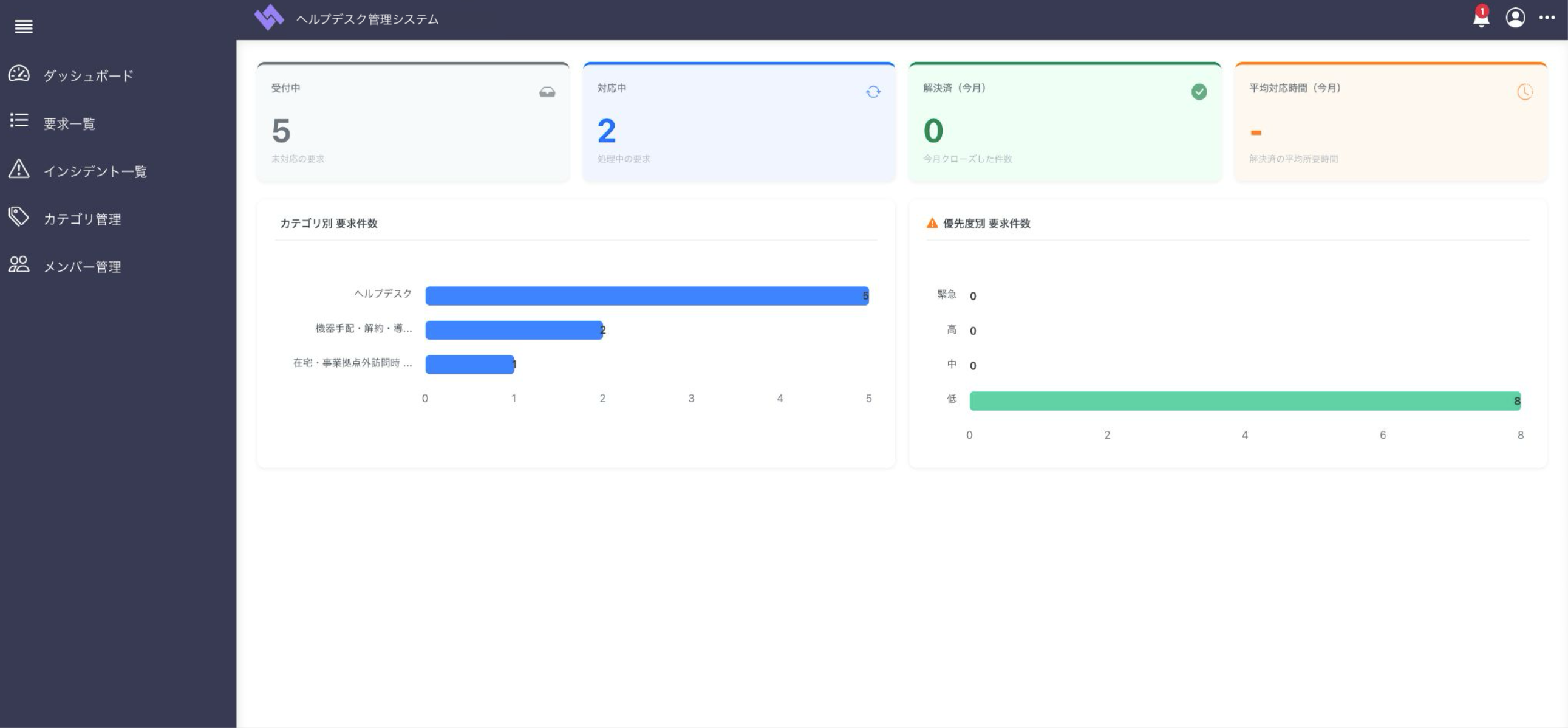
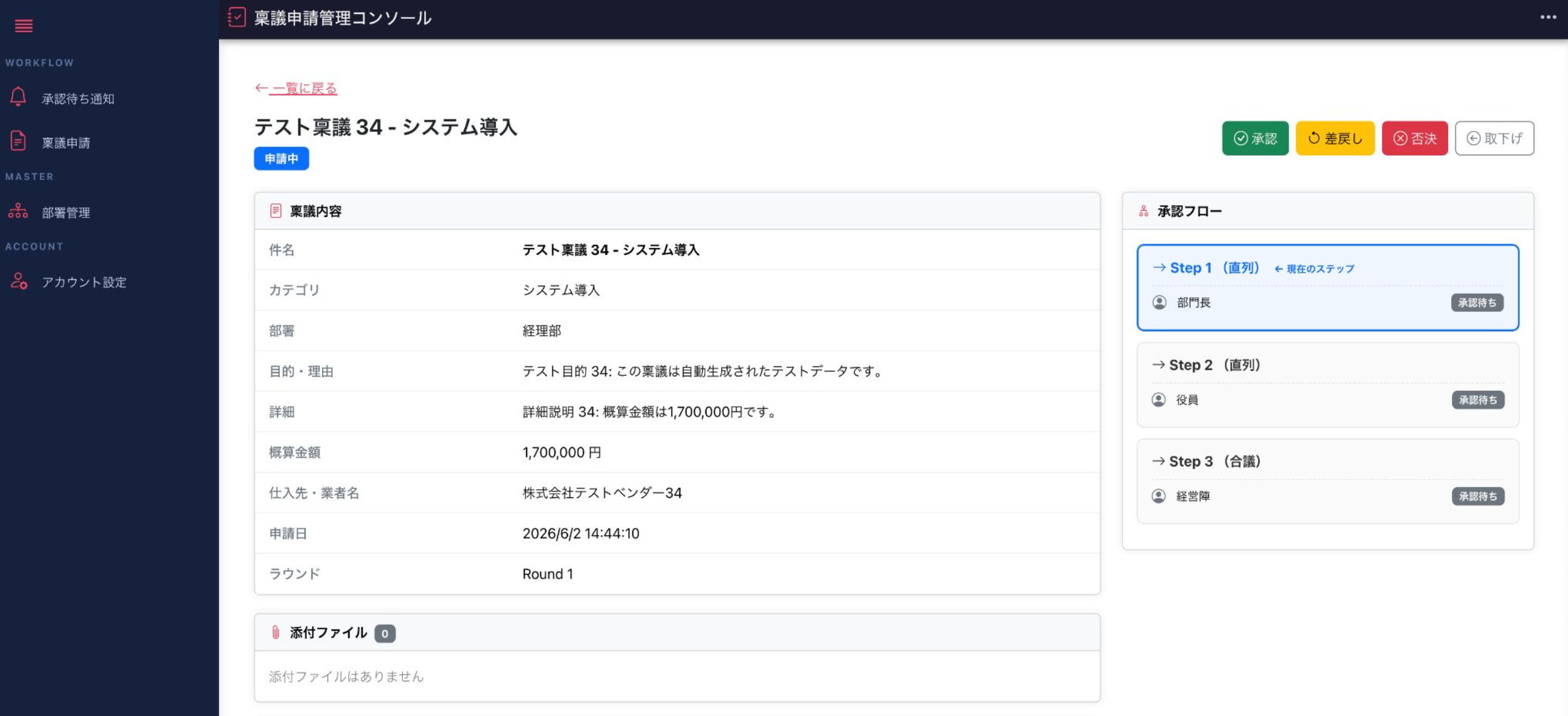
What catalogs are available
We offer the main business categories. Industry-specific sets are also available — just pick something close to your business challenge.
Common concerns
Common questions from business users
Questions we actually receive from business users considering adoption.
Q.Can it really be used without IT knowledge?+
Q.What if there's no catalog that fits our business?+
Q.It seems like catalog selection will take time+
Q.Can we make changes after deployment when the business evolves?+
Q.Can we add or change catalog features?+
Target customers
Who this is for
Best for companies with a SaaS-fit business flow policy who prioritize deployment speed. Even without design or development resources, business users can drive it.
Companies with a "fit business to the system" mindset
For companies wanting to standardize operations and prevent siloed knowledge by aligning business flows to best practices of ready-made systems.
Companies without design or development resources
You can move forward even without an internal IT department, without relying on development vendors, or without capacity for a requirements phase.
Companies prioritizing deployment speed
For companies that can't afford months of requirements definition — start with something working, then improve while operating.
Comparing options
Compare and evaluate 3 options
We compared three approaches to launching a business system across five aspects. Choose what fits your situation.
For companies where business is so unique that ready-made systems can't fit, or wanting to build large-scale unique competitive advantage.
For companies wanting to assemble screens and fields to fit their business, but avoiding development resources.
See No-code specialized apps →For companies that can fit their business flow to SaaS patterns, prioritizing speed, cost, and simplicity.
Adding features, custom changes to screen layouts, or changes to data structure on the catalog itself are not possible. Only the adjustments available in the config screen — field names, permissions, workflow branches — are possible. If you want to independently design screens and fields to fit your business, consider No-code (dedicated UI build).
Download
Download the Web System Catalog materials
We'll send a single document summarizing each catalog's overview, features, estimated pricing, and customization scope.
- Service overview and estimated pricing
- Industry-specific adoption examples and setup images
- FAQ and the deployment flow
* After your request, we'll contact you within 1 business day.